Glideep
 Glide
Glide Bubble
 Shopify
 Lovable
 Base44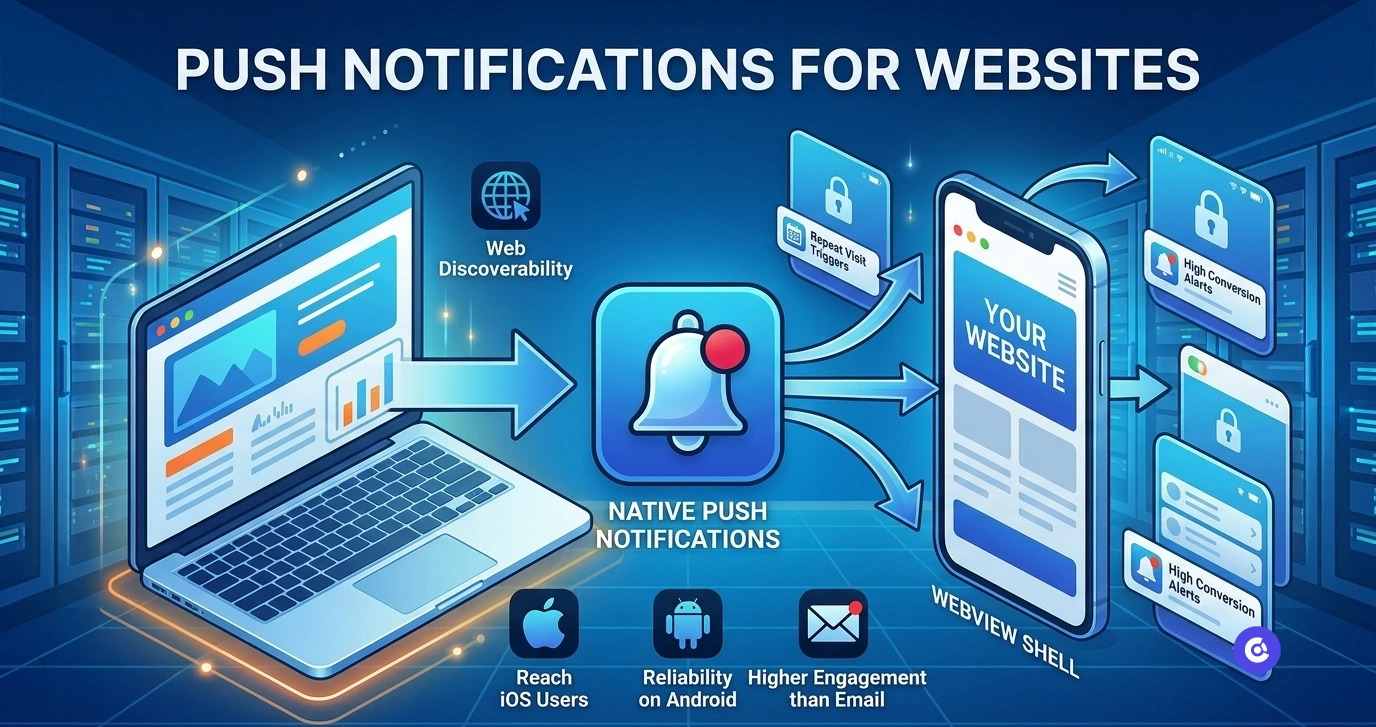
Push notifications are the single biggest reason to turn a website into an app. They land directly on a user's lock screen, drive repeat visits, and convert far better than email. But "web push" and "app push" are not the same thing — and the difference decides whether your messages actually reach iPhone users. Here's the complete 2026 guide.
Web push vs app push: the key difference
Web push is sent from a website to a browser. It works reasonably well on Android and desktop, but on iOS it's heavily restricted: users must add your site to the Home Screen first, delivery is less reliable, and the experience is clunky. App push is sent to an installed app and is fully supported on both iOS and Android — it's the notification experience people are used to.
Why app push wins
For most businesses, app push is the only version worth relying on, for three reasons:
- Reach — it works fully on iOS, where a huge share of high-value users live.
- Reliability — delivery is consistent and supported by Apple and Google directly.
- Engagement — open rates on app push routinely beat email by a wide margin.
The good news: you don't need to build a native app from scratch to get it. Converting your website into an app gives you full native push out of the box. Our step-by-step guide walks through the whole process.
How to add push notifications to your site
The fastest route is a website-to-app converter that includes push:
- Convert your site into a native app (no code required).
- Push notifications are enabled as a built-in feature.
- Send campaigns from a dashboard — broadcasts, segments, or automated triggers.
Glideep includes native push on every app; you can see the full feature set here, or compare it with other tools in our converter roundup.
Best practices that keep opt-ins high
- Ask at the right moment — request permission after the user sees value, not on first launch.
- Segment — send relevant messages, not blasts, to avoid opt-outs.
- Time it well — respect time zones and avoid notification fatigue.
- Use deep links — every notification should open the exact right screen.
High-impact use cases
E-commerce stores recover abandoned carts and announce drops; content sites alert readers to new posts; service apps send booking and order updates. If you run a store, our Shopify-to-app guide covers cart recovery in detail.
Common mistakes that kill engagement
Push is powerful, but it's easy to misuse it into a wave of opt-outs. The biggest mistakes we see:
- Permission on first launch — asking before the user understands your value tanks opt-in rates. Wait for a natural moment.
- Over-sending — daily blasts train users to disable notifications. Quality over frequency.
- No segmentation — sending everyone the same message ignores what each user actually cares about.
- Dead-end taps — a notification that opens your home screen instead of the relevant page wastes the click. Always pair push with deep links.
- No measurement — if you're not tracking open and conversion rates, you can't improve. Treat push like any other channel.
Get these right and push becomes your highest-ROI re-engagement channel — typically outperforming email on both open and conversion rates.
FAQ
Do push notifications work on iPhone without an app?
Only in a limited way. Reliable iOS push effectively requires an installed app, which is why converting your website is the practical path.
Are push notifications free?
With a converter like Glideep, push is included in the platform — you can start free and send notifications without a separate service.
Ready to build your app?
Turn your website into a native iOS & Android app in minutes — no code, no Mac needed.
Start for free →